

Description
Download JavaGroove – Free Java Development Tool for Mac
Overview – What JavaGroove Brings to Mac Developers
JavaGroove is a lightweight, trial‑version development tool designed specifically for macOS users who want to dive into Java programming without the overhead of a full‑featured IDE. First added to our catalog in 2005, the current release X 1.0 d10 received its last update on 28 October 2005 and remains compatible with Mac OS X and earlier versions. The application is offered in English and occupies far less disk space than most Java development suites, making it an attractive option for students, hobbyists, or anyone who values speed and simplicity over extensive feature sets. Since its debut, JavaGroove has accumulated 579 downloads, reflecting a niche but dedicated user base. Although the recent download count shows a temporary lull, the tool’s core strengths—fast startup, a clean interface, and a focus on core Java concepts—continue to make it a viable entry point for developers on the Mac platform. In this review we’ll explore the key features, walk through the installation process, examine system compatibility, and weigh the pros and cons to help you decide whether JavaGroove is the right free Java tool for your workflow.
Key Features That Define JavaGroove
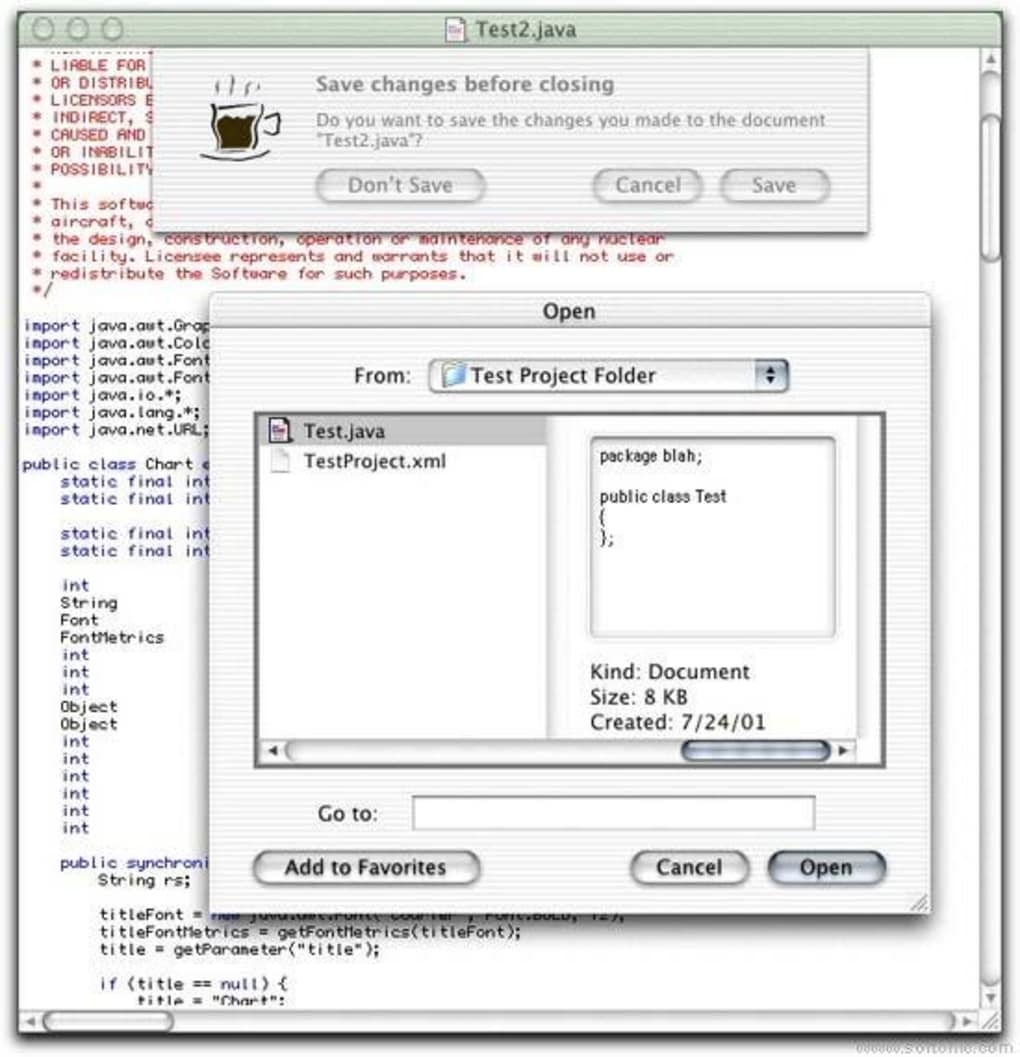
- Minimalist IDE Layout: A clutter‑free workspace that highlights code editing and compilation without unnecessary panels.
- Built‑in Java Compiler: Integrated JDK 1.4 compiler allowing instant compile‑run cycles.
- Syntax Highlighting: Color‑coded Java keywords, literals, and comments for improved readability.
- Simple Project Management: Create, open, and manage single‑file or multi‑file Java projects with a drag‑and‑drop interface.
- Lightweight Footprint: Requires less than 30 MB of free disk space, far below typical Java IDEs.
- Cross‑Version Compatibility: Runs on macOS 10.3 (Panther) through macOS 10.6 (Snow Leopard) and earlier PowerPC builds.
- Free Trial License: No hidden fees; the trial version offers full functionality for evaluation.
- Basic Debugging Tools: Step‑through execution and console output for quick error detection.
While JavaGroove does not aim to replace heavyweight IDEs like IntelliJ IDEA or Eclipse, its feature set targets learners and developers who need a quick, secure environment to write, compile, and test Java code. The emphasis on simplicity reduces the learning curve, and the inclusion of a built‑in compiler eliminates the need to configure external JDK paths. For educators teaching introductory Java courses, the tool’s straightforward interface can keep students focused on core programming concepts rather than IDE configuration.
Installation, Usage, and Compatibility – Getting Started on macOS
Installing JavaGroove on a Mac is intentionally straightforward. First, download the DMG file from the official site or a trusted software repository. Once the DMG mounts, drag the JavaGroove icon to the Applications folder. The installer checks for a compatible Java runtime; if none is found, it prompts you to install the Apple‑provided JDK 1.4, which remains available for legacy macOS versions. After installation, launch JavaGroove from the Applications directory or Spotlight.
Step‑by‑step usage guide:
- Open JavaGroove and select “New Project” from the File menu.
- Choose a project name and a destination folder; the default template creates a Main.java file with a basic class skeleton.
- Write your Java code in the editor. Syntax highlighting and line numbering are active by default.
- Click the “Compile” button (or press ⌘ R) to build the program. Errors appear in the console pane with line references.
- Run the program using the “Run” button; output displays in the same console area.
JavaGroove officially supports macOS 10.3 through 10.6, including both Intel and legacy PowerPC architectures. Because the application is built with classic Carbon libraries, it remains functional on older hardware that cannot run modern 64‑bit software. Users on newer macOS releases may need to run the app in a compatibility mode or use an older system partition. The program is distributed in English only, which aligns with its target audience of developers comfortable with English‑language documentation.
Security is another consideration. The trial version is signed with a developer certificate, ensuring that macOS Gatekeeper recognizes it as a trusted app. Updates are infrequent— the last patch was released in 2005—but the static nature of the software means there are no hidden telemetry or auto‑update mechanisms, providing a predictable and secure environment for offline development.
Conclusion – Should You Download JavaGroove?
JavaGroove occupies a distinct niche in the macOS development ecosystem: a free, secure, and ultra‑lightweight Java tool that prioritizes ease of use over extensive plugin ecosystems. For users who need a quick way to write and test Java code without committing to a heavyweight IDE, JavaGroove delivers on its promise. However, its age‑related limitations—no support for Java 8+ features, lack of modern refactoring tools, and incompatibility with the latest macOS releases—mean that power users and professionals will likely outgrow it quickly.
Pros
- Extremely small footprint; ideal for older Macs.
- Simple, distraction‑free interface accelerates learning.
- Built‑in compiler eliminates external configuration.
- Free trial with full functionality.
- Signed binary ensures macOS security compliance.
Cons
- Outdated Java version (JDK 1.4) limits modern language features.
- No support for macOS versions newer than 10.6 without workarounds.
- Lacks advanced debugging, refactoring, and version control integration.
- English‑only documentation may deter non‑English speakers.
- Development appears discontinued; no recent updates or community support.
Frequently Asked Questions
Is JavaGroove compatible with the latest macOS releases?
Officially, JavaGroove supports macOS 10.3–10.6. On newer versions you may need to run it in compatibility mode or use an older system partition, but full functionality cannot be guaranteed.
Can I use JavaGroove to develop Java 8 or later applications?
No. JavaGroove bundles a JDK 1.4 compiler, so language features introduced after Java 5 are not supported. For modern Java development, consider a more recent IDE.
Is the trial version time‑limited?
The trial version provides full functionality without an expiration date, but it is intended for evaluation purposes only. A commercial license is required for continued use in a production environment.
Does JavaGroove include any debugging tools?
Yes, it offers basic debugging capabilities such as step‑through execution and console output, sufficient for learning and small projects.
How much disk space does JavaGroove require?
The installer occupies less than 30 MB of free space, making it one of the most lightweight Java development tools for macOS.
If you’re a beginner, a teacher, or simply need a quick sandbox for Java snippets on an older Mac, download JavaGroove now and experience a no‑frills development environment that gets you coding fast. For advanced projects or modern language features, you’ll likely transition to a newer IDE, but JavaGroove remains a solid stepping stone on the path to Java mastery.
JavaGroove offers a clean, lightweight interface that is perfect for learning Java on legacy macOS systems. Its built‑in compiler and basic debugging tools make it functional for simple projects. However, the lack of support for modern Java versions and newer macOS releases limits its usefulness for professional developers. Overall, it serves as an excellent introductory tool but should be considered a temporary solution until you outgrow its capabilities.
Guides & Tutorials for JavaGroove
How to install JavaGroove
- Click the Preview / Download button above.
- Once redirected, accept the terms and click Install.
- Wait for the JavaGroove download to finish on your device.
How to use JavaGroove
This software is primarily used for its core features described above. Open the app after installation to explore its capabilities.
User Reviews for JavaGroove 0
No reviews found





.webp)